fall – Kupon Girl

fall

Fall Placements ONLY $6.64 (Reg. $19)
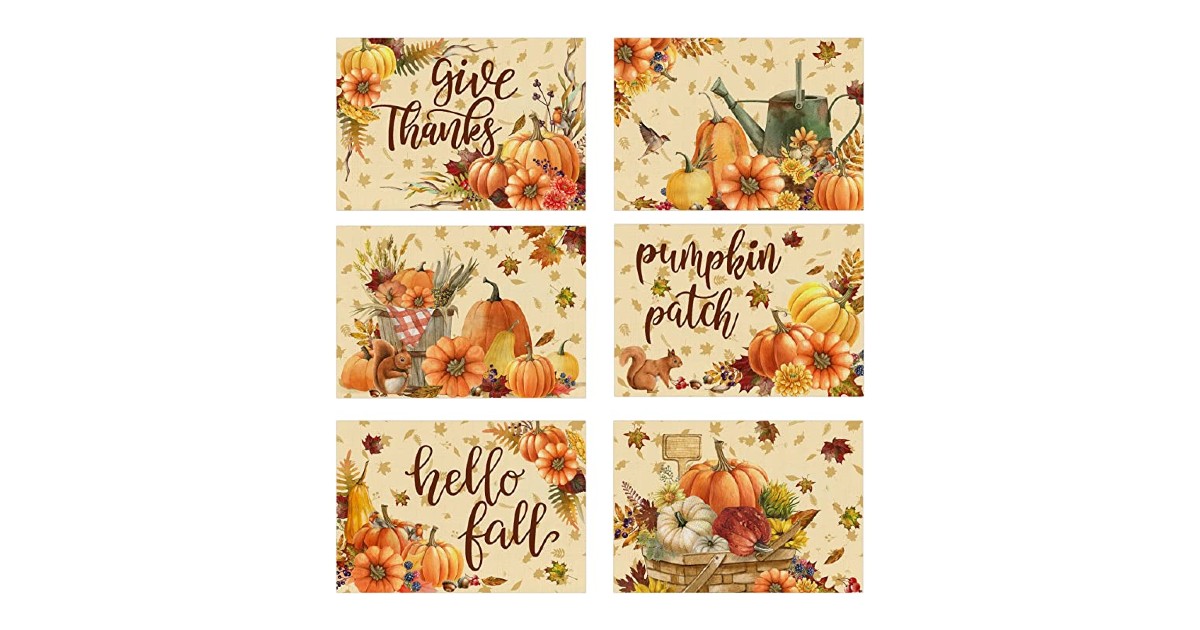
placemat

Check out these gorgeous fall placemats!

Amazon has these Fall Placements for only $6.64 (Reg. $19) with Coupon Code 65P1VK6Y.

Apply the coupon and savings are automatically applied at checkout.

These are great for hosting fall events!


MORE AMAZON DEALS HERE

Prime members receive free shipping, otherwise, free shipping starts at $25. Not a Prime Member? Get a Free Trial NOW.

Free 30-day Membership
The trial includes EVERYTHING a Paid version includes, cancel anytime.

Free 6-month Membership for Students
Get 6 months of totally free and half-price yearly memberships with an.EDU email.

54% off Prime Membership for those who Qualify
Have EBT or Medicaid? You may qualify for a HUGE discount on Prime.

Please share this offer, thanks!


Fall Placements ONLY $6.64 (Reg. $19) Read More »

Save on Indoor/Outdoor Halloween Decorations!

hallofall

(disclosure: I may be compensated if you make a purchase through my link.)

Save on Indoor/Outdoor Halloween Decorations @Target! (Online Only)

Spend $30 save $5 AND Spend $60 save $10

  • Fall Harvest
  • Day Of The Dead
  • Mix and Match Mantle
  • Eerie Emporium
  • Outdoor Halloween Decorations
  • Halloween Lights
  • Halloween Party Supplies

Goblins, witches, ghosts, pumpkins, bats, spiders, monsters, candles, SPOOKS!

All varieties of Halloween items just in time for Fall!

Check out the Indoor/Outdoor Halloween Decorations here!

This offer is valid until 10/1/2016


Save on Indoor/Outdoor Halloween Decorations! Read More »

Festive Fall Word Search – Let The FUN Begin! Print Now!

Fall Word Search – Let The FUN Begin!

 Do you have kid(s) that are:

  • On Vacation
  • Home-Schooled
  • Home Sick
  • Or— Just need something to do?


Here is a Fall Word Search FREEBIE Printable!

Free is good, right? 🙂

I sure think so and hope you do too!


All you have to do is look for the words and then circle them! Simple and Easy Peasy!

AND—– It’s  FUN! 🙂

Enjoy! 🙂


**This is my first time Using Google.Doc**

  1. Google Doc can be tricky at times if you don’t know what your doing! LOL
  2. I got some good family help from A.
  3. She helped me figure out how to get the link  from Google Doc and then share it to my blog post. My family has great helpers 🙂
  4. In Google.Doc you double click on the document that you want to use.
  5. The top right of page you will see SHARE, click it and the link to your document will appear.
  6. You have choices in the drop down menu: Edit, Comment, or View.
  7. I chose View Only so nothing would get changed, and clicked Done.
  8. Copy the link that is provided and insert (paste) into your Blog post.
  9. I was surprised that is was not that hard to do.
  10. Using Google Chrome was the key to make it all work 🙂


How many words did YOU find?

Did YOU have FUN?


I would love to hear your replies!


Festive Fall Word Search – Let The FUN Begin! Print Now! Read More »